Product Roadmap vs Changelog: What’s the Difference?
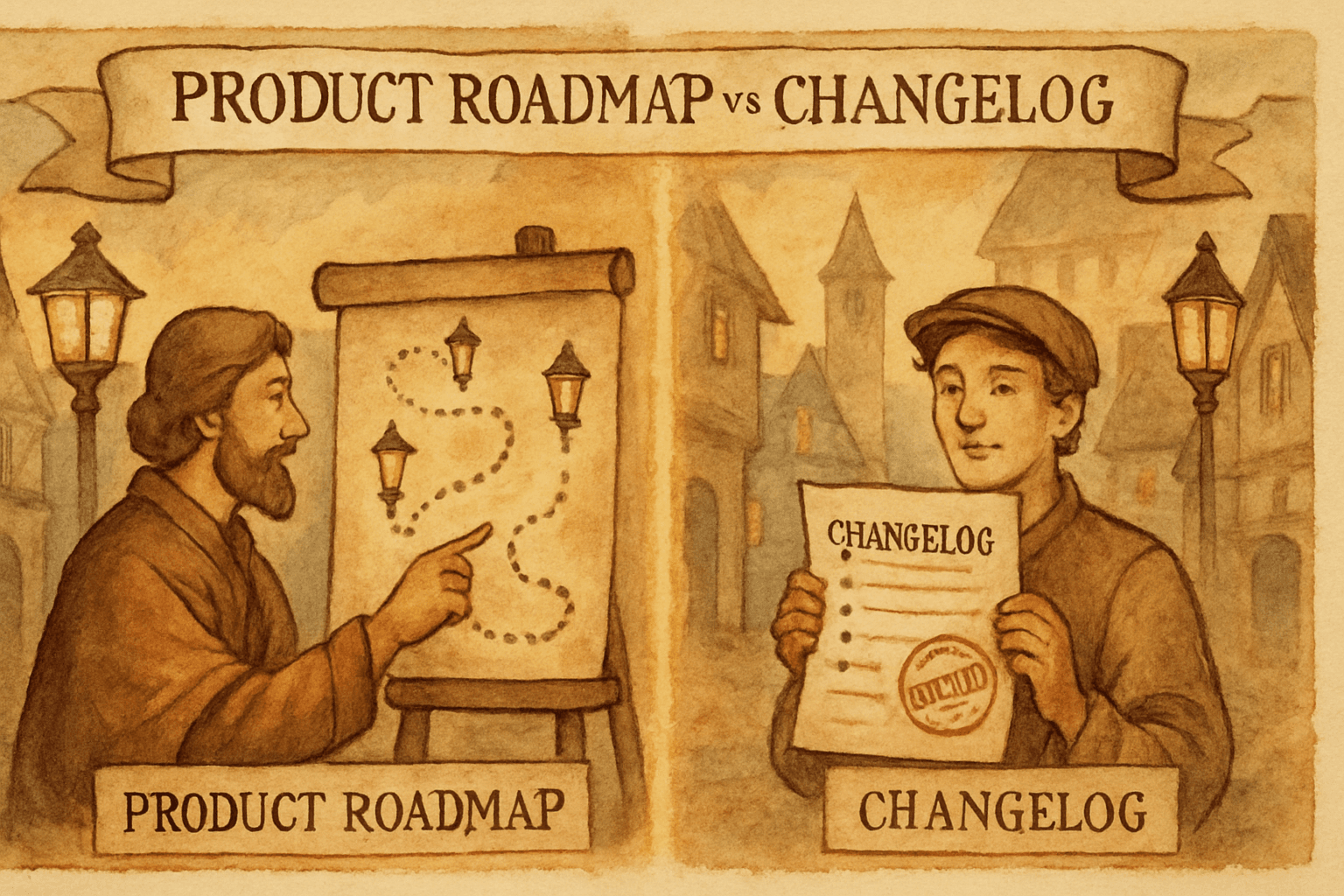
A product roadmap and a changelog are not the same thing, and mixing them up creates confusion.
A roadmap is forward-looking. It communicates direction, priorities, and what users can expect next.
A changelog is backward-looking. It records what already shipped, when it shipped, and why it matters.
Teams that use both well tend to communicate better, reduce support questions, and build more trust. Teams that blur the two usually end up with vague promises and boring updates.
The short version
Product roadmap:
- Shows what is planned
- Helps set expectations
- Used internally and externally
- Often changes as priorities shift
Changelog:
- Shows what is done
- Confirms progress
- Public proof of shipping
- Should be accurate and timely
If the roadmap is the promise, the changelog is the receipt.
What a roadmap is for
A roadmap answers questions like:
- What are you working on next?
- What problems are you prioritizing?
- What should customers expect in the coming months?
- Which themes are most important right now?
A good roadmap is not a list of feature dates. It is a strategic communication tool.
Good roadmap traits
- Theme-based instead of date-heavy
- Flexible enough to change
- Clear enough for users to understand direction
- Honest about uncertainty
Bad roadmap traits
- Exact dates you cannot keep
- Overly specific feature promises
- Internal jargon no customer understands
- Too much detail that creates false certainty
What a changelog is for
A changelog answers questions like:
- What changed?
- When did it change?
- Why did it matter?
- Who should know about it?
A changelog is not a wishlist. It is a shipping log.
Good changelog traits
- Clear titles
- Real dates
- Short summaries with context
- Links to feature docs or product pages
- Regular publishing cadence
Bad changelog traits
- One-line entries with no detail
- Internal-only language
- Missing dates
- Inconsistent formatting
- Updates nobody can understand
Roadmap vs changelog at a glance
| Product Roadmap | Changelog | |
|---|---|---|
| Direction | Future | Past |
| Purpose | Set expectations | Prove progress |
| Audience | Customers, sales, internal teams | Customers, users, support, SEO |
| Content | Themes, priorities, planned work | Shipped features, fixes, improvements |
| Risk | Overpromising | Under-explaining |
| Update frequency | Weekly or monthly | Every time you ship |
When to use a roadmap
Use a roadmap when you want to:
- show customers where the product is headed
- support sales conversations
- align internal teams
- reduce random feature requests
- communicate strategy without promising exact dates
A roadmap is especially useful for B2B SaaS companies where customers want to know you are investing in the right areas.
When to use a changelog
Use a changelog when you want to:
- announce shipped features
- increase feature adoption
- reduce repeated support questions
- improve transparency
- create SEO pages around product updates
A changelog is especially useful if users do not notice changes inside the product on their own.
Why teams confuse them
Because both are about product communication.
But they solve different problems.
If your roadmap says, "We are improving onboarding," and your changelog says, "We shipped a new onboarding flow," those are connected, but not interchangeable.
The roadmap builds anticipation. The changelog builds trust.
How they work together
The best product communication stacks them like this:
- Roadmap sets direction
- Shipping work gets done
- Changelog announces what shipped
- Email or in-app updates amplify it
- Support and sales use the update in conversations
That loop is how strong product marketing happens.
Example workflow
Let’s say you are building a new integrations dashboard.
Roadmap version
"Improving integrations management for faster setup and better visibility."
Changelog version
"New integrations dashboard lets you see connected apps, sync status, and recent activity in one place."
Same product area. Different job.
What happens if you only use a roadmap
Users know what might happen, but not what has actually happened.
That means:
- less perceived progress
- fewer adoption moments
- more support questions
- weaker trust over time
What happens if you only use a changelog
Users see what shipped, but not where the product is heading.
That means:
- less strategic clarity
- more random feature requests
- less confidence from customers and sales
- harder internal alignment
The best practice
Use both.
But keep them separate.
- Roadmap = future plans
- Changelog = shipped work
Trying to make one page do both usually makes it worse.
What should live on each page
Roadmap page
- themes or goals
- status of major initiatives
- high-level direction
- maybe a "now / next / later" structure
Changelog page
- release title
- date
- summary
- screenshots if helpful
- links to docs or feature pages
SEO opportunity
Changelog pages tend to have stronger SEO potential than roadmaps because they contain concrete, searchable terms.
People search for:
- product updates
- release notes
- feature announcements
- changelog
- new feature name
- software update
Roadmap pages are often more abstract and less search-friendly.
That means your roadmap is a communication asset, but your changelog can become a traffic asset too.
Where Worknotes fits
Worknotes is built for the changelog side.
You already know what shipped in Linear. Worknotes turns that into public updates, email announcements, and in-app messages.
That makes it the "receipt" layer of your product communication.
If your team also wants a roadmap, keep that separate. Use the roadmap to talk about direction. Use Worknotes to talk about delivery.
Final rule of thumb
If the thing is planned, put it on the roadmap.
If the thing shipped, put it in the changelog.
If it is both, talk about it twice, but differently.
That is how you stay clear, credible, and useful.
Worknotes turns completed Linear tickets into public changelog entries, emails, and in-app announcements. $29/month flat. Start your free trial →
Senior PM in ticketing and events (B2B). Built Worknotes to solve the product update problem he kept seeing: teams ship fast but communicate slow. Previously engineering management at Johns Hopkins.
@buildwithfedeA better way to share product updates
Worknotes is a platform for creating and sharing product updates across changelogs, email, and in-app announcements, without slowing down your team.